
Language Support
Fresh ships syntax highlighting and indentation for a large set of languages out of the box, and connects to language servers for richer features.
How a language is detected
Fresh picks a language for a buffer in this order:
- Filename — well-known names map to their real format, including lock and config files (
yarn.lock→ YAML;Cargo.lock,poetry.lock,uv.lock→ TOML;composer.lock,Pipfile.lock,flake.lock,deno.lock→ JSON;bun.lock→ JSONC). - Extension — e.g.
.rs,.py,.fish,.smali,.gd. - Shebang — for extensionless scripts, the interpreter on the first line (
#!/usr/bin/fish,python3.11,env -S …) selects the language. An existing extension match wins over the shebang.
Supported languages
The built-in set grows with most releases. Beyond mainstream languages, shells, and config and data formats, it covers more specialised ones such as shader languages (Slang, CUDA, HIP, Metal, GLSL), Fortran, LLVM IR and MLIR, assembly, the LaTeX family, Bazel/Starlark and CMake.
To see every built-in language in the version you have installed, run Open Settings from the command palette and look under Syntax & Languages → Languages. fresh --cmd grammar list lists the syntax grammars available for highlighting.
Language servers
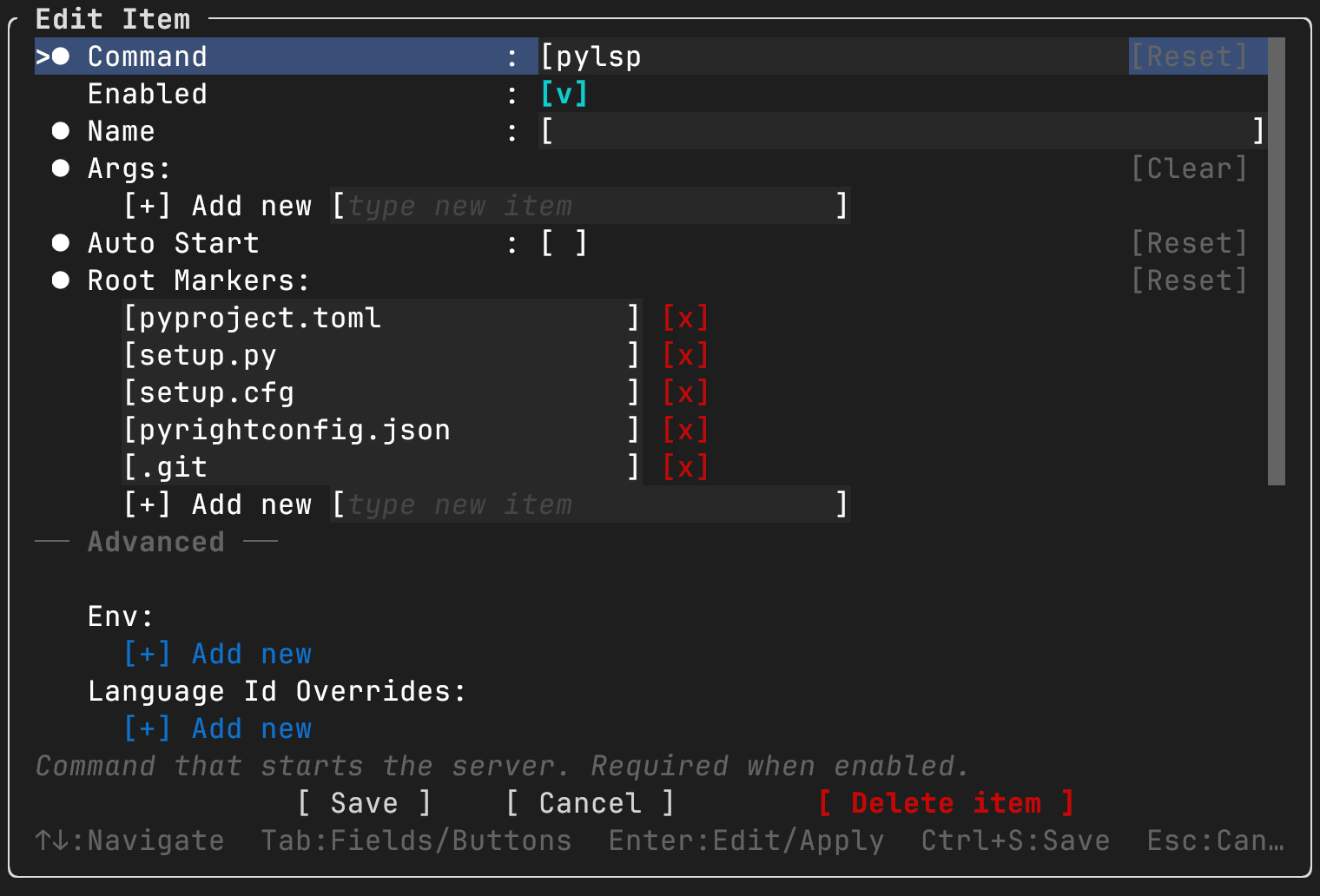
Each language can be wired to one or more LSP servers. Run Open Settings, go to Syntax & Languages → Language Servers, pick the language (or [+] Add new for one that isn't listed) and open its server to set the command, arguments, root markers and whether it starts automatically:
Show JSON
{
  "lsp": {
    "python": {
      "command": "pyright-langserver",
      "args": ["--stdio"],
      "enabled": true,
      "auto_start": true,
      "root_markers": ["pyproject.toml", ".git"]
    }
  }
}
enabled defaults to true. Built-in servers do not start on their own: start one from the LSP status popup (run Show LSP Status from the palette), choosing (always) to keep it starting automatically. A server entry you add yourself starts automatically unless you turn off Auto Start. Language servers only run in a trusted workspace. See LSP Integration for the editor-side features.
Assembly (asm-lsp)
Assembly support uses asm-lsp and is opt-in. When you open an assembly file with no .asm-lsp.toml in the project, Fresh offers to generate one from the detected assembler and architecture. asm-lsp defaults to GAS / x86_64 without a config; the offer is scoped to the buffer that triggered it.
GDScript (Godot)
GDScript highlighting is built in. For LSP, enable lsp.gdscript — it connects over TCP to Godot's built-in language server (default 127.0.0.1:6005), so the Godot editor must be running. It is disabled by default.
Adding your own
To add or tune a language beyond the built-ins — grammars, indentation rules, comment tokens — see Adding a Language and Language Packs.