
What's New in Fresh (0.2.9)
February 25, 2026
A roundup of features and fixes since the 0.2 release — over 90 bug fixes, 8 GitHub issues resolved, and a handful of new capabilities.
Code Folding
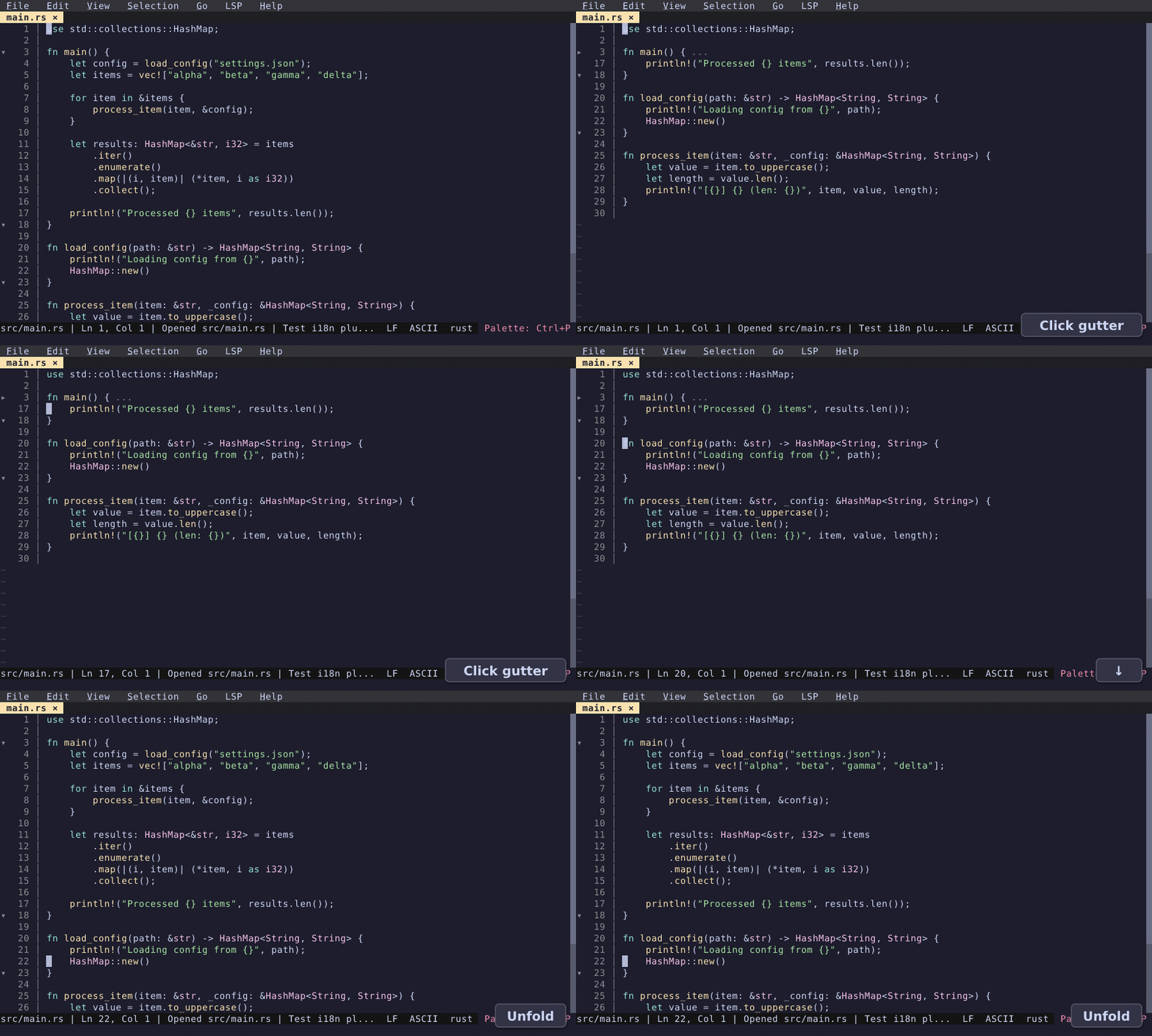
Fold and unfold code blocks using LSP foldingRange. Click the gutter indicator to collapse a range; click again to expand. Keyboard navigation (Up/Down) skips over folded regions. Each split view maintains its own fold state.
Markdown Editing
Smart editing when writing Markdown: Enter continues list items (bullets, ordered lists, checkboxes), Enter on an empty marker removes it, and Tab indents list items while cycling the bullet style. Single-quote auto-close is disabled in Markdown files so apostrophes don't interfere. (This is implemented as a built-in plugin, markdown_source, enabled by default.)
Compose Mode (experimental)
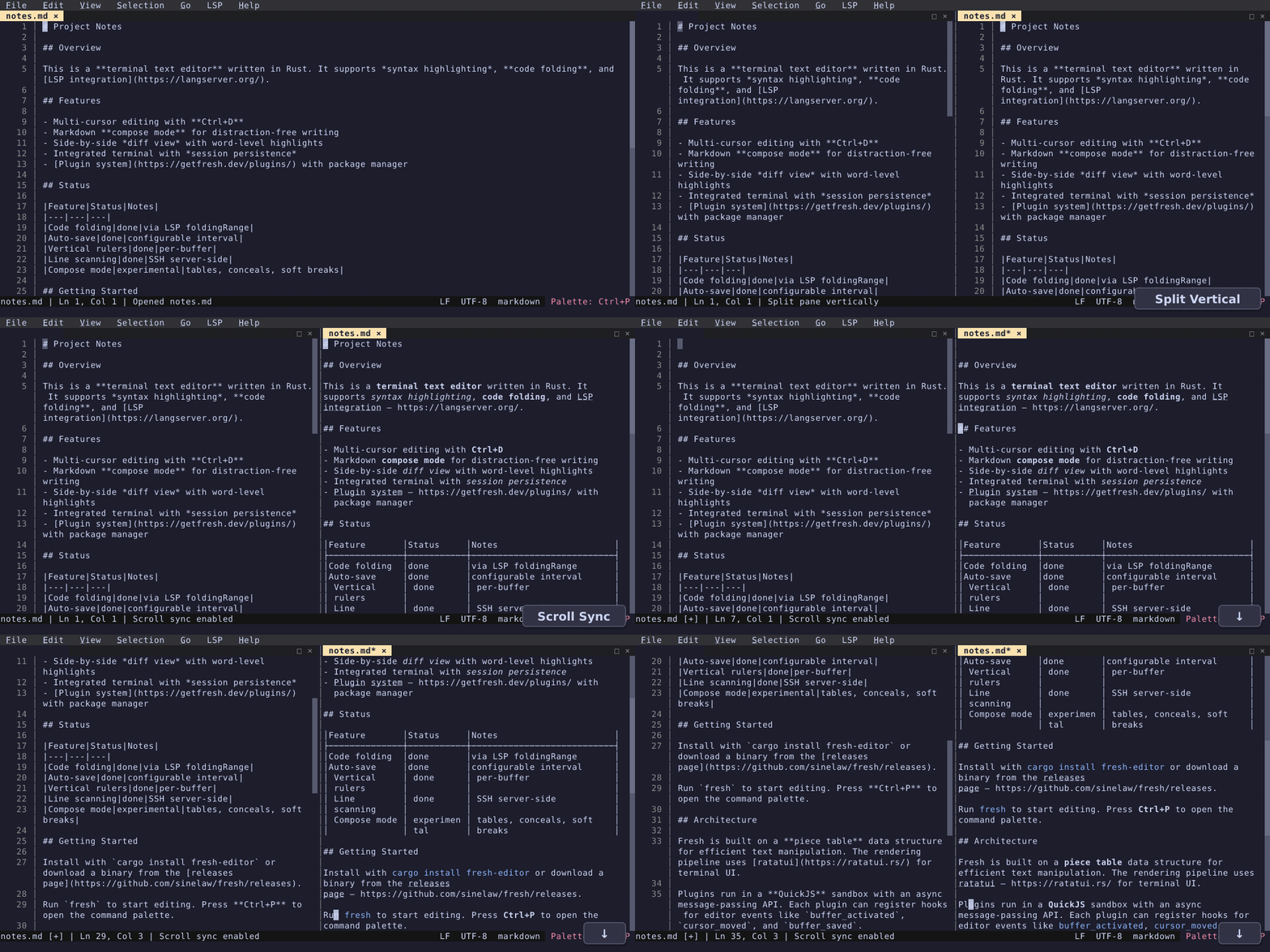
On top of source editing, an experimental compose mode conceals syntax markers (**, *, []()), applies soft line breaks at a configurable width, and renders tables. Open the same file in a vertical split to see source and composed views side by side.
Precise Go to Line in Large Files
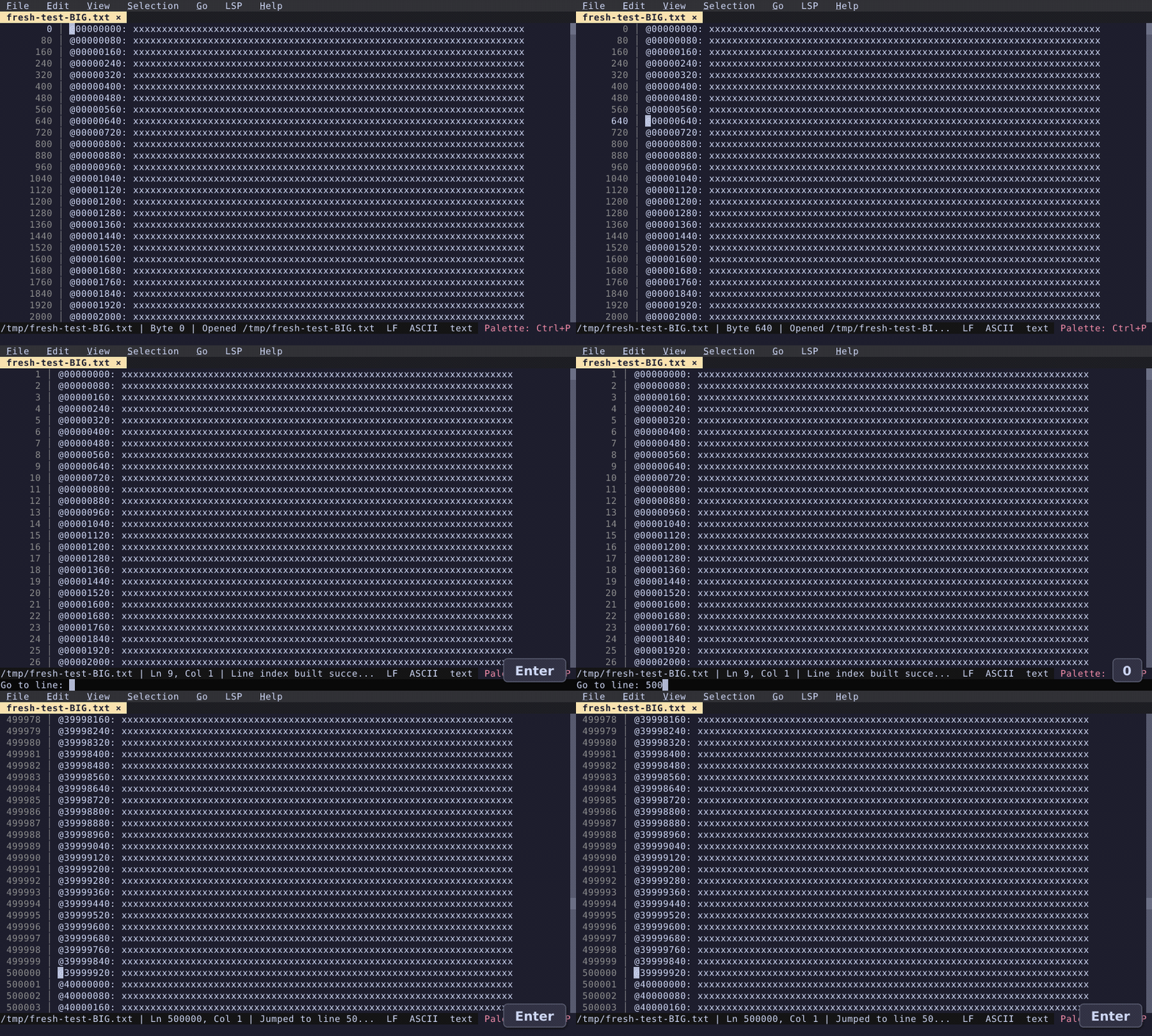
Fresh adds support for precise line numbers in very large files. The new default when opening a large file shows exact byte offsets in the gutter, instead of approximate line numbers. Using "Go to Line" (Ctrl+G) offers to scan the file — only the line index is kept in memory, not the file contents. Over SSH, the scan runs server-side and only the index is transferred. Open remote files with fresh user@host:/path/to/file — see Remote Editing (SSH) for details.
Vertical Rulers
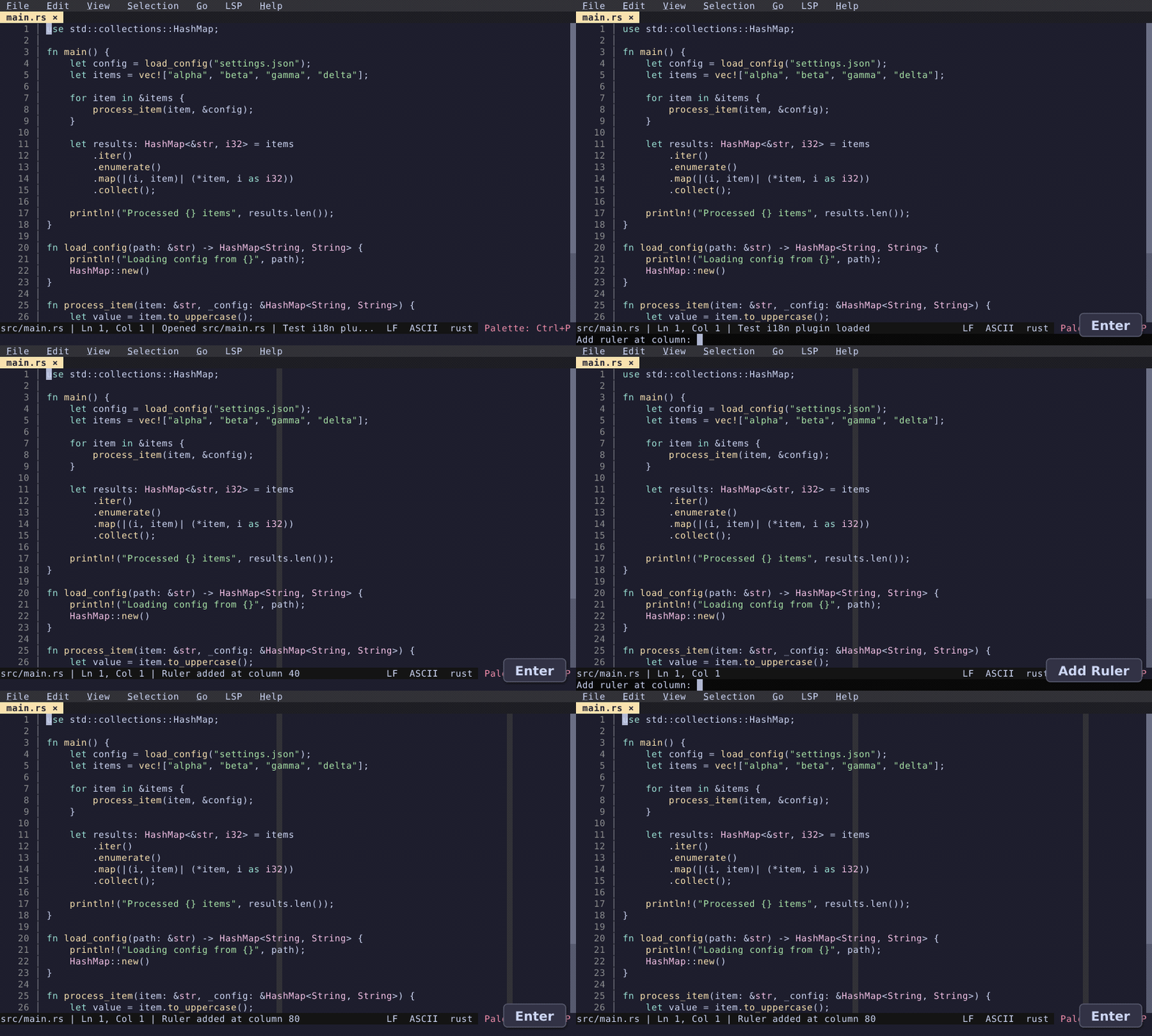
Add column rulers at any position via the "Add Ruler" command. Useful for enforcing line length limits. Rulers are per-buffer and can be added or removed from the command palette.
Smart Editing
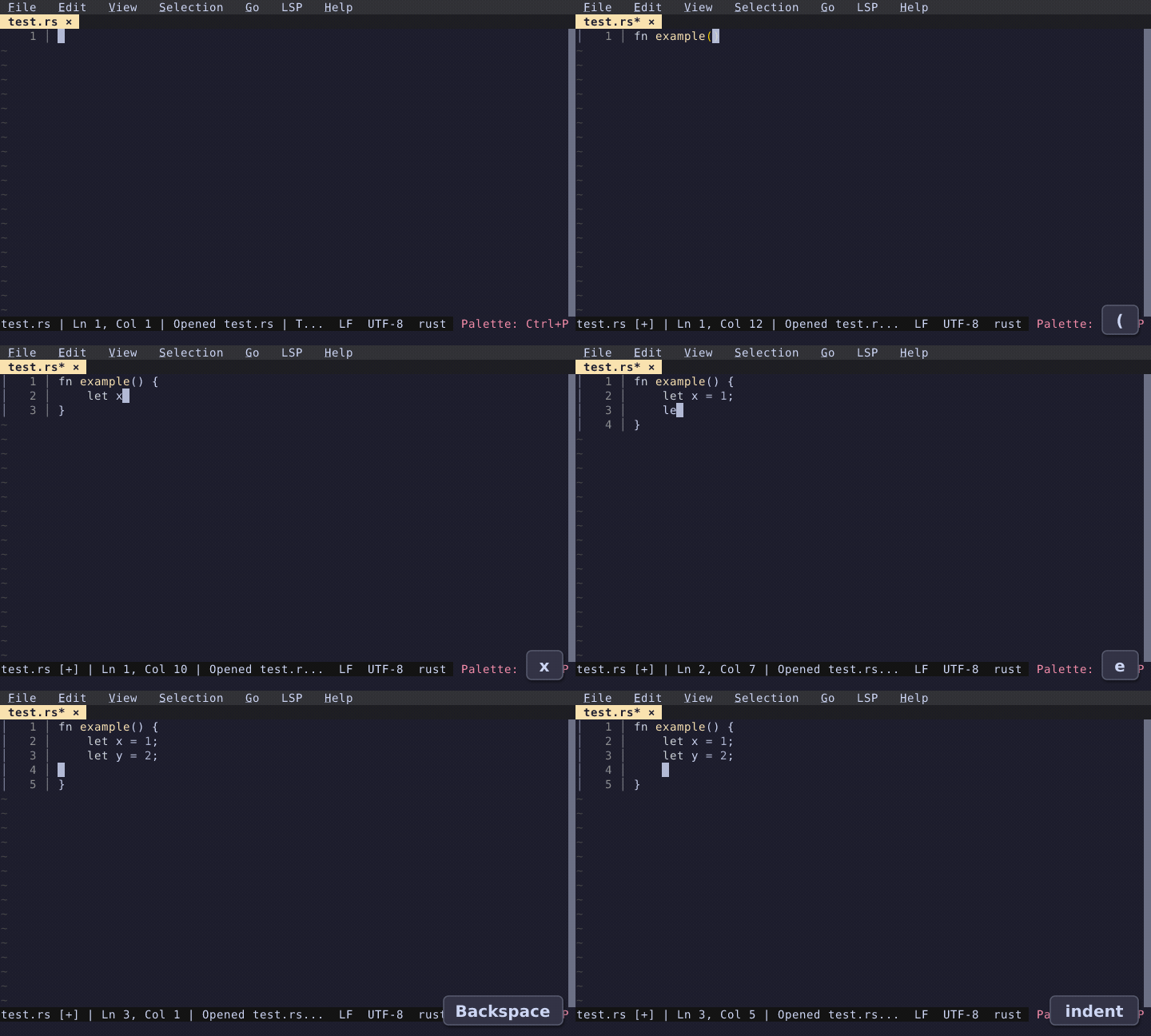
Smart Home toggles between first non-whitespace character and column 0. Smart Backspace in leading whitespace removes one indent level instead of a single character. Auto-indent fixes: Go files dedent with tabs, tab_size is respected, Python nested indentation after consecutive : lines works correctly.
Auto-Save
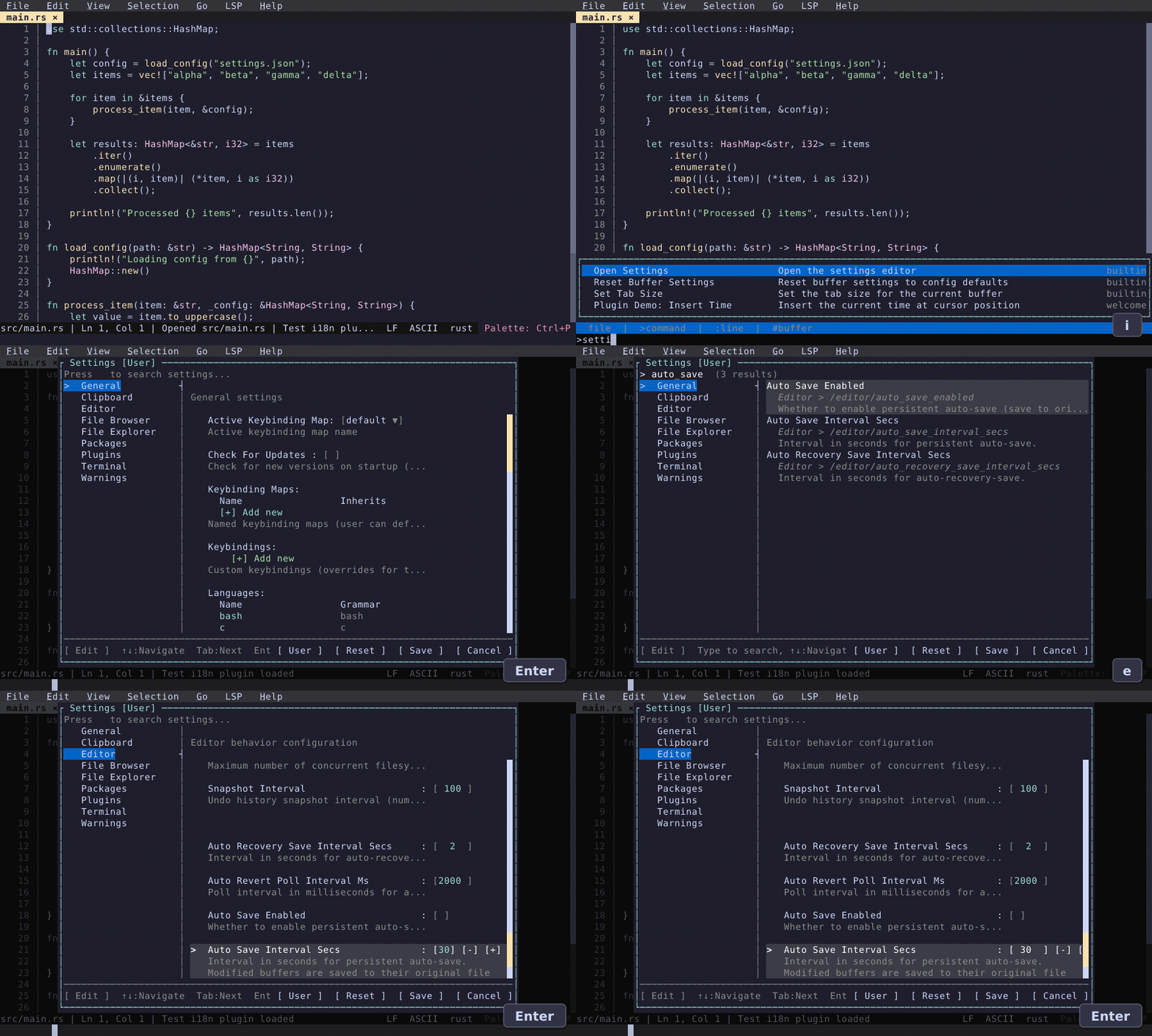
New auto_save_enabled config option. When turned on, modified buffers are saved to disk at a configurable interval (default 30 seconds). The existing crash-recovery auto-save (every 2 seconds to a recovery directory) continues to work independently.
Also New
Performance
- Replaced linear span lookups in syntax highlighting with an O(1) amortized cursor.
- Path-copying PieceTree mutations with structural diff via
Arc::ptr_eq— diff cost is proportional to edit regions, not total leaves. - Eliminated JSON round-trip and JS re-parsing in plugin hook dispatch.
- Viewport-aware gutter indicator batching for large files (~780K IPC commands reduced to ~50 per edit).
LSP & Diagnostics
- Diagnostics panel: Up/Down scrolls the editor to preview each diagnostic's location; Enter jumps and focuses.
- Fresh now advertises all supported LSP client capabilities, enabling diagnostics from strict servers like pyright.
- Fixed state corruption when toggling LSP off/on —
didCloseis now sent so re-enable gets a freshdidOpen. - LSP status bar indicator no longer disappears after each request.
Plugin API v2
- Versioned plugin API with
editor.apiVersion(). - New
createTerminal,sendTerminalInput,closeTerminalfor terminal control from plugins. - Split labels to prevent files opening in managed splits; labels persist across sessions.
- Plugin state API for reading editor state from hooks.
Quality of Life
- Horizontal scrollbar with drag support and toggle commands.
- Split-view scroll sync — same-buffer splits can scroll together (toggle via command palette).
- Glob patterns in language config —
filenamesfield supports*.conf,*rc,/etc/**/rc.*for extensionless file detection. - Configurable clipboard —
use_osc52anduse_system_clipboardtoggles to prevent hangs in certain terminals. - File explorer —
show_hidden/show_gitignoredtoggles now persist to config and are applied on startup. - Smooth scrolling — cursor movement scrolls one line at a time instead of recentering the viewport.
- Macro shortcut — F4 plays last recorded macro.