
What's New in Fresh (0.2.18)
March 23, 2026
A roundup of everything that landed since the 0.2.9 release — eight point releases spanning project-wide search & replace, inline diagnostics, 30 new syntax grammars, a ground-up Windows input rewrite, broad LSP coverage, and a long tail of editing refinements and bug fixes.
Project-Wide Search & Replace
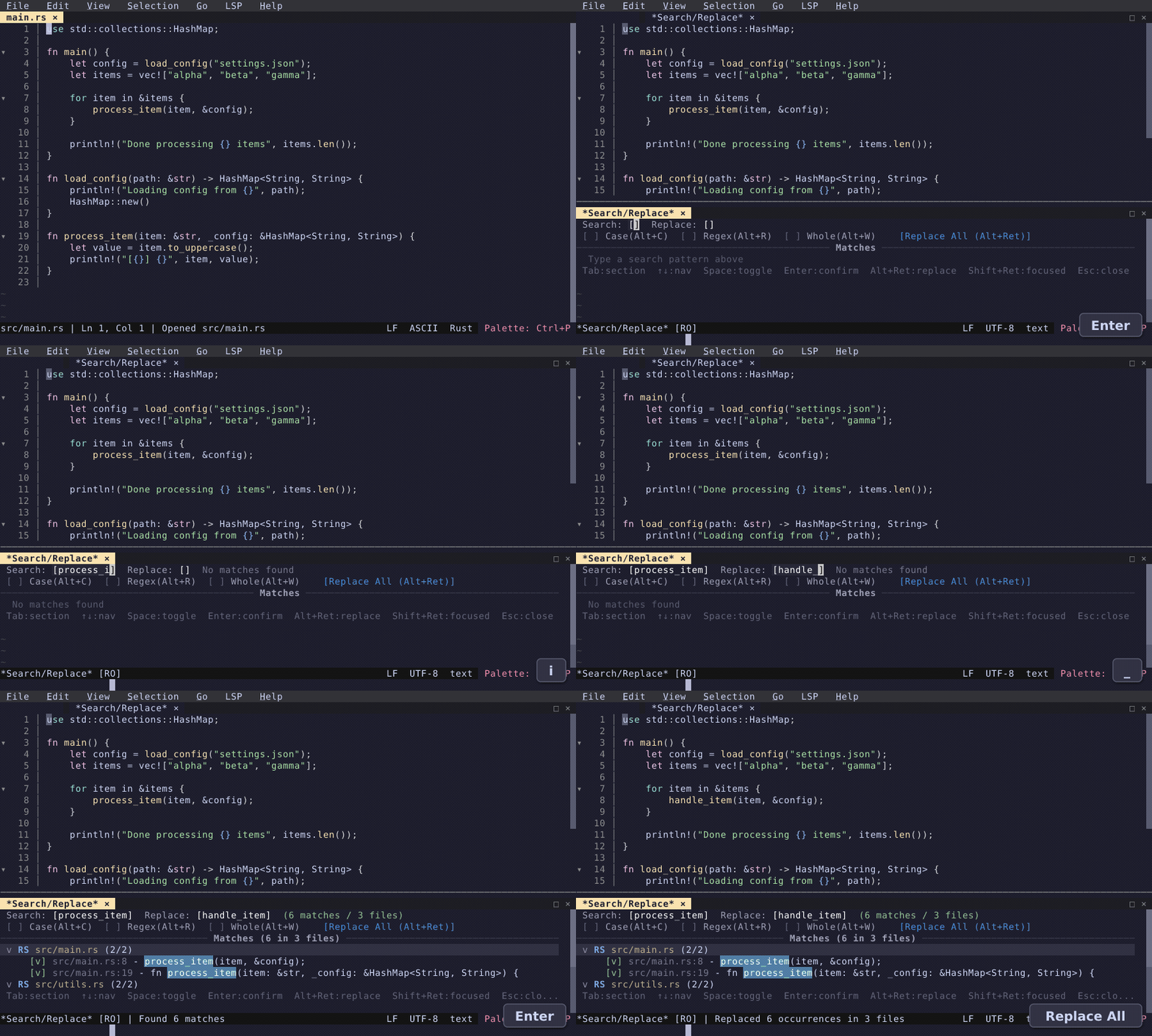
Search and replace across your entire project. Type a query, tab to the replacement field, and press Alt+Enter to replace all matches. Handles unsaved buffers, large files, and up to 10,000 results.
This wasn't a trivial feature to build. The initial implementation shelled out to git grep, which was fast — but completely broken over SSH remotes since it bypassed our FileSystem trait. The rewrite routes all I/O through that trait so search works identically on local and remote filesystems. Large files added another layer: we can't pull a multi-GB file over the network just to search it. Instead, a HybridSearchPlan splits each file into loaded (dirty, in-memory) and unloaded regions — unloaded regions are searched on the remote side via chunked reads, and only the matches come back over the wire. Chunk boundaries are tricky: matches can span them, so we overlap adjacent chunks and deduplicate. Eight parallel searchers, bounded by a tokio semaphore, keep throughput high without overwhelming the remote. Every new keystroke cancels in-flight work via an atomic flag, so the UI stays responsive even mid-search.
Inline Diagnostics
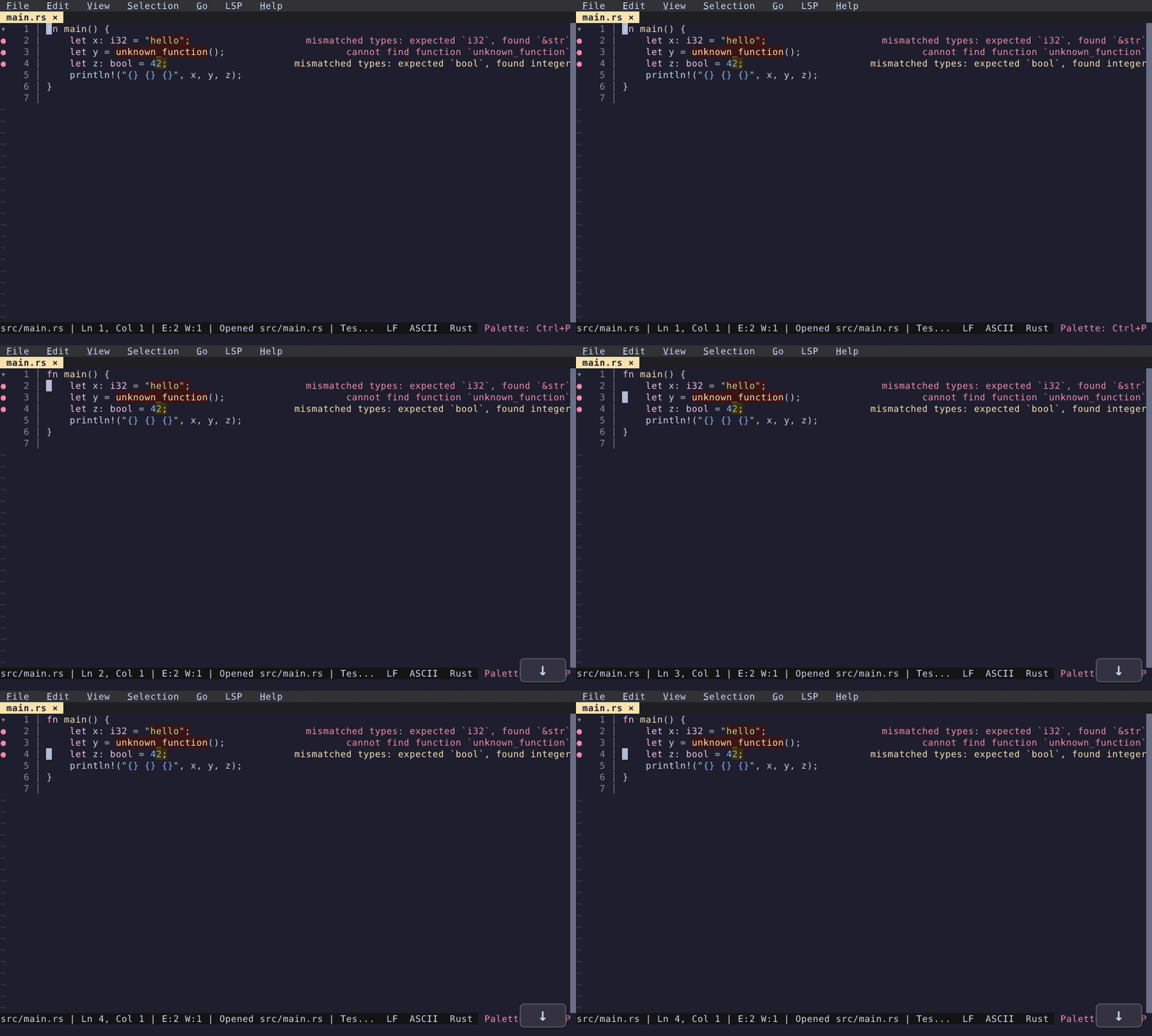
Diagnostic messages now appear right-aligned at the end of the offending line. Errors and warnings are visible without opening a panel or hovering — just glance at the code. Staleness detection dims stale diagnostics after edits. Disabled by default; enable "diagnostics inline text" in the Settings UI.
Surround Selection
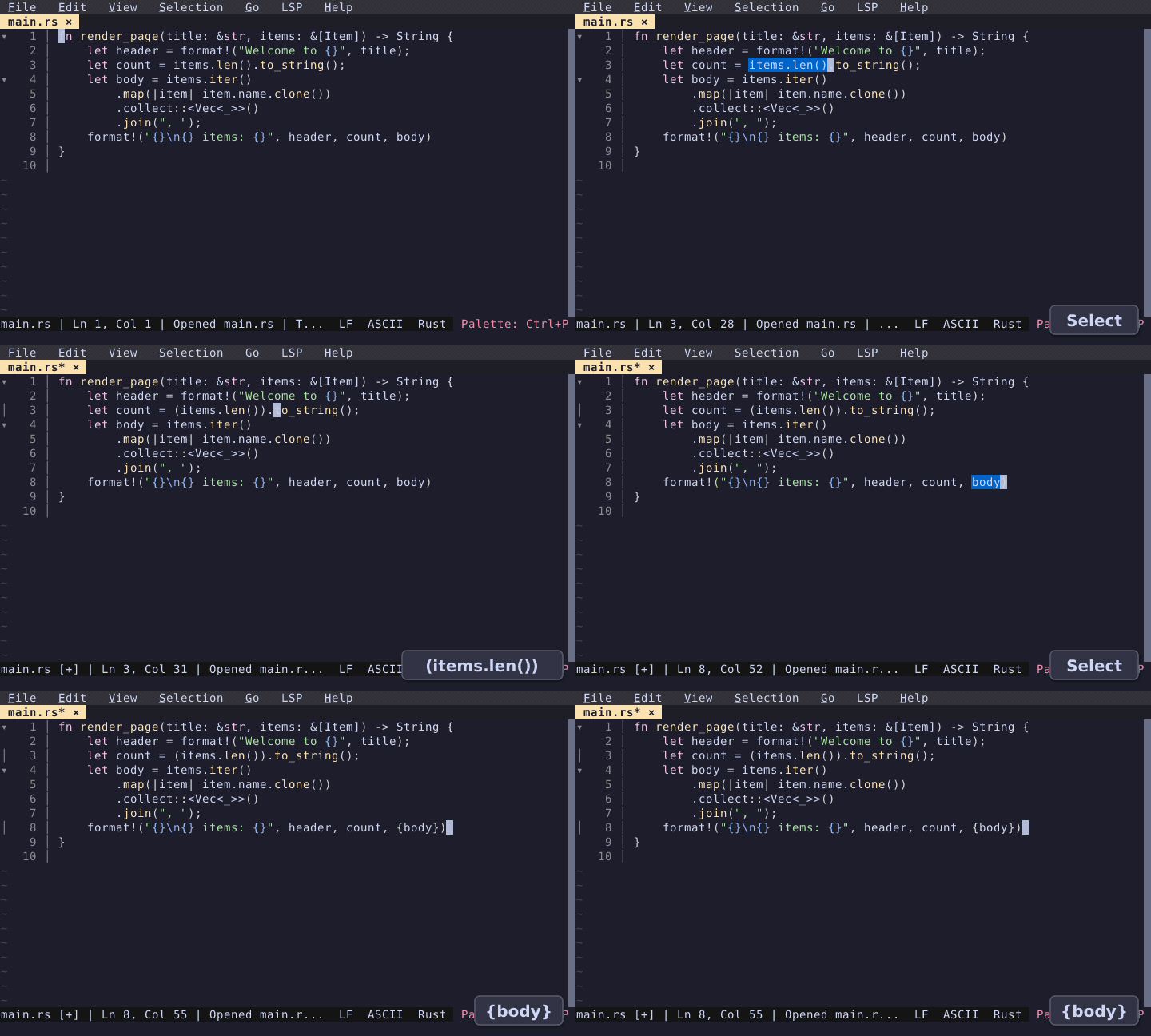
Select text and type an opening delimiter — (, [, {, ", or backtick — to wrap the selection instead of replacing it. For example, selecting hello and typing ( produces (hello). Controlled by the auto_surround config option with per-language overrides.
30 New Syntax Grammars
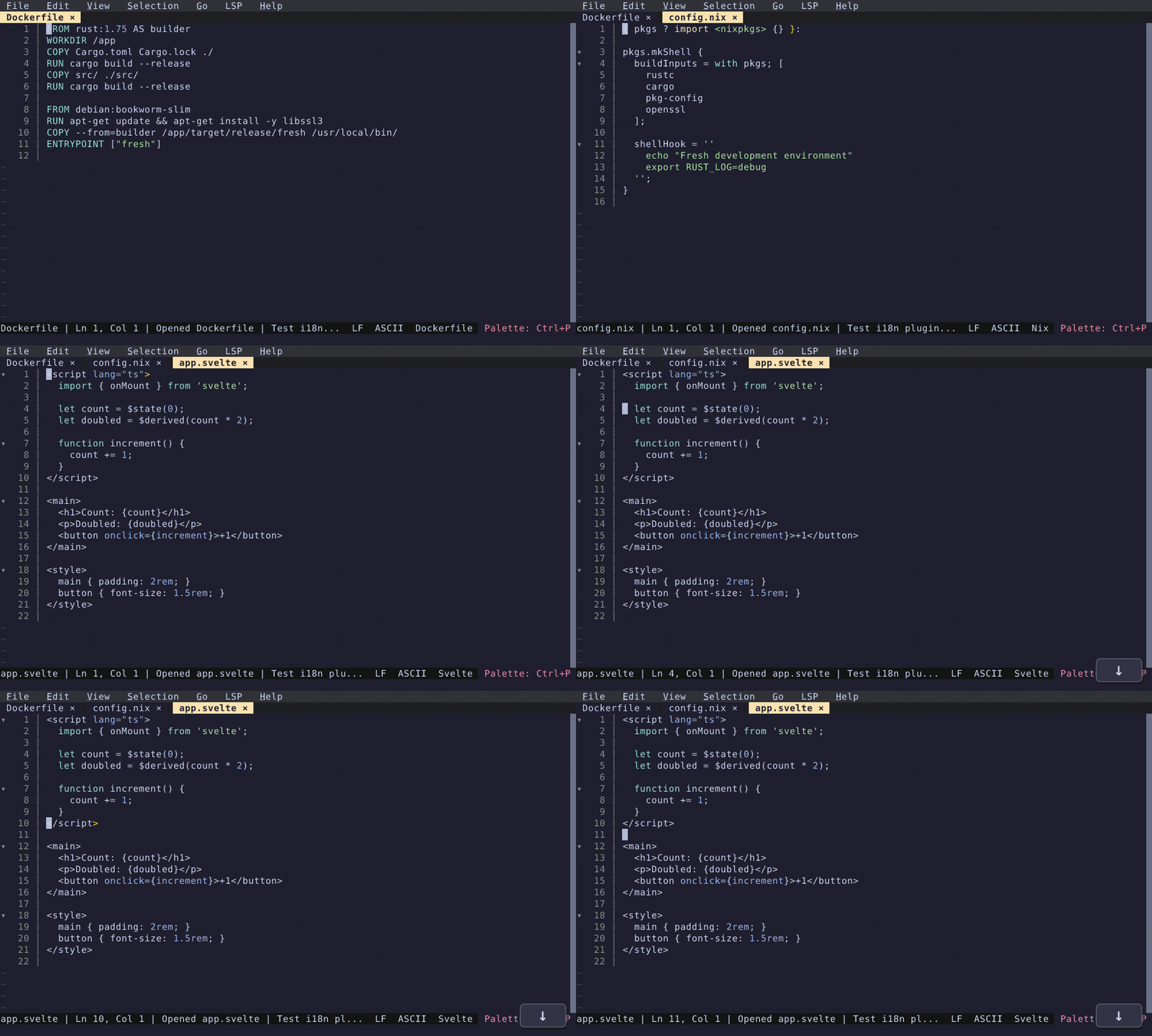
Dockerfile, CMake, INI, SCSS, LESS, PowerShell, Kotlin, Swift, Dart, Elixir, F#, Nix, Terraform/HCL, Protobuf, GraphQL, Julia, Nim, Gleam, V, Solidity, KDL, Nushell, Starlark, Justfile, Earthfile, Go Module, Vue, Svelte, Astro, and Hyprlang. These grammars are preliminary — please report highlighting issues for your language so we can improve them.
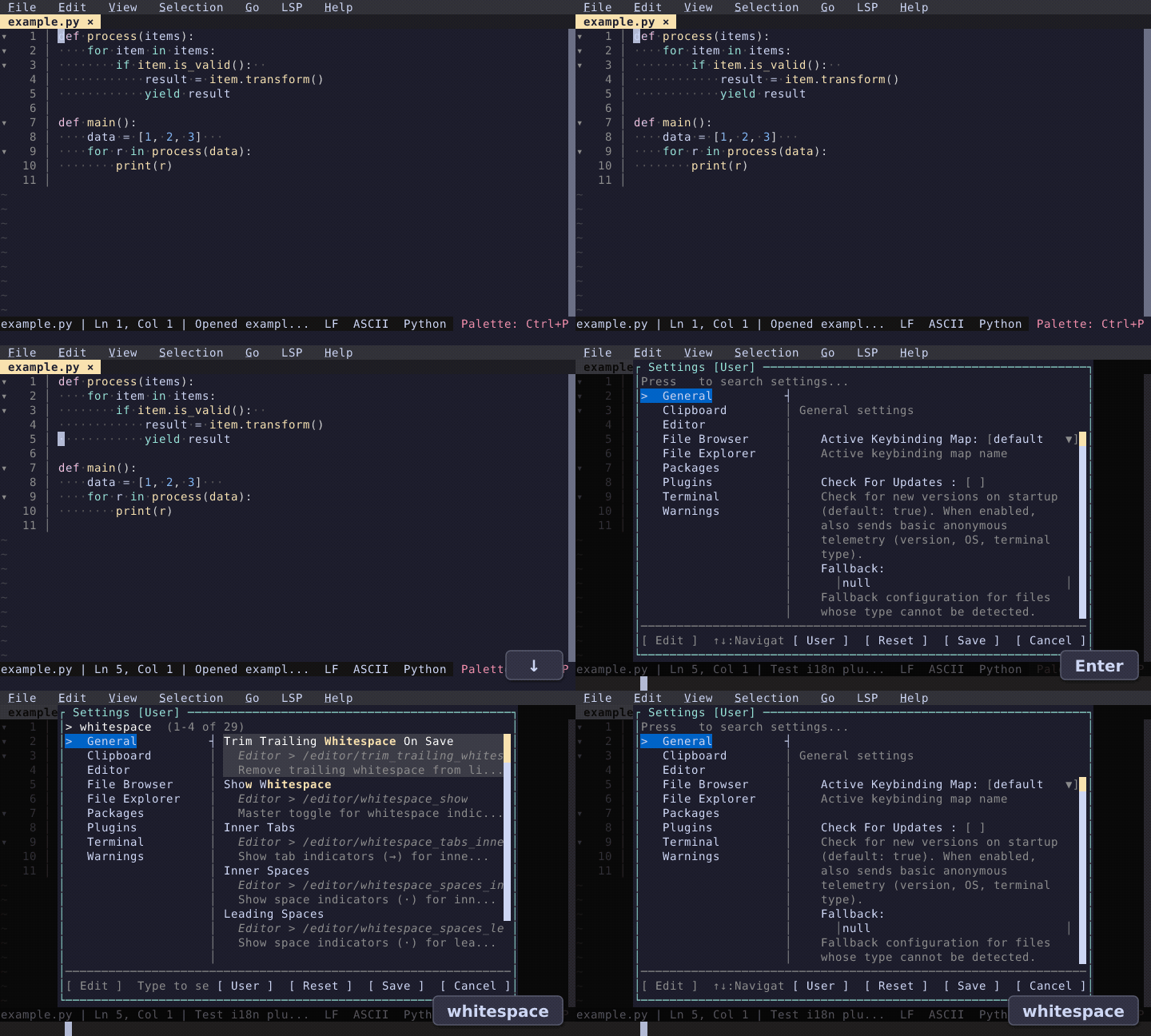
Whitespace Indicators
Granular control over whitespace visibility. Configure space (·) and tab (→) indicators independently for leading, inner, and trailing positions. A new whitespace_indicator_fg theme color lets you tune the indicator brightness. Per-language overrides are supported.
Theme Editor Redesign
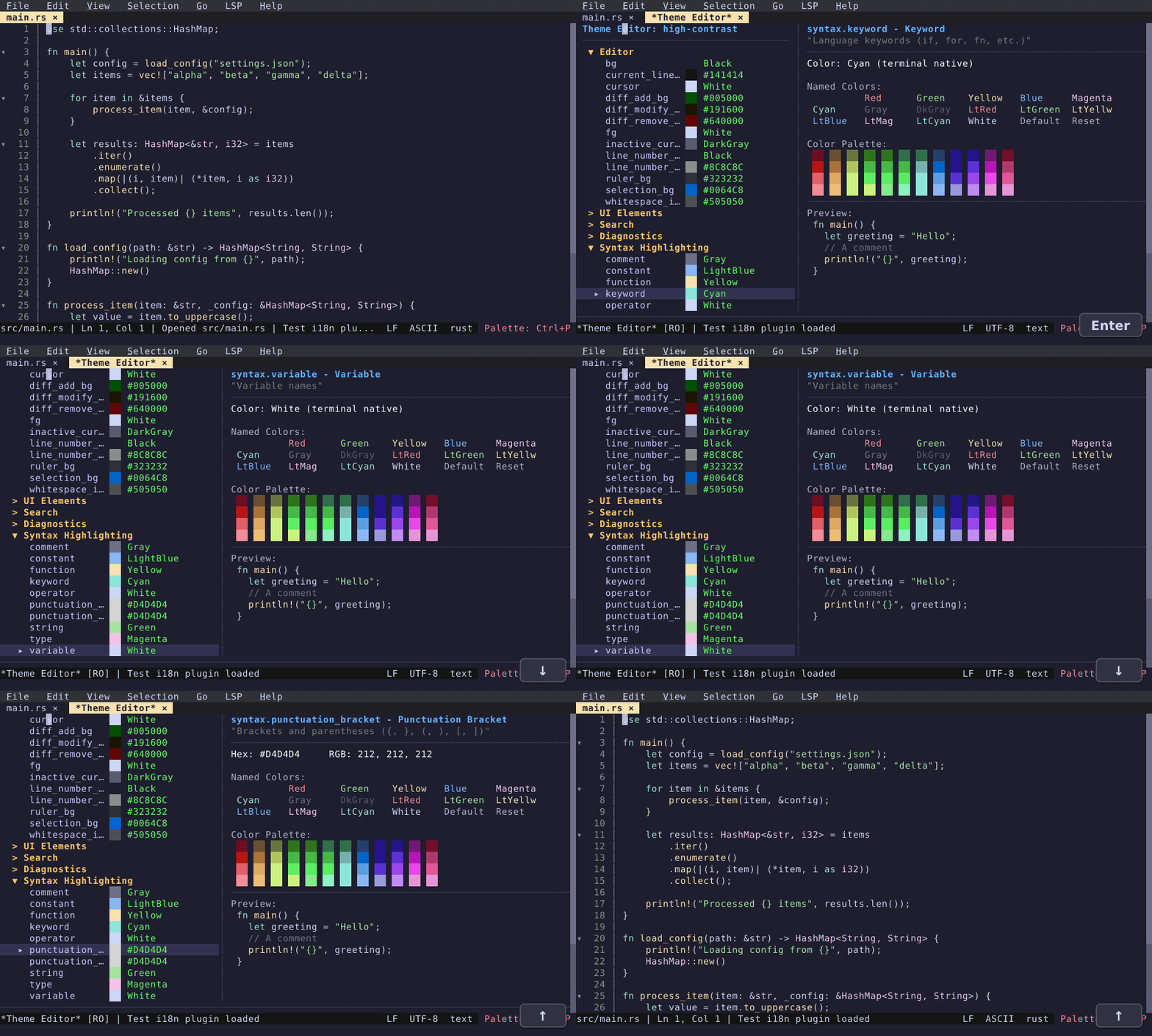
The theme editor now uses virtual scrolling and mouse support for smooth navigation through large theme files. A new "Inspect Theme at Cursor" command and Ctrl+Right-Click popup show exactly which scope and color applies at any position in your code.
Hot Exit
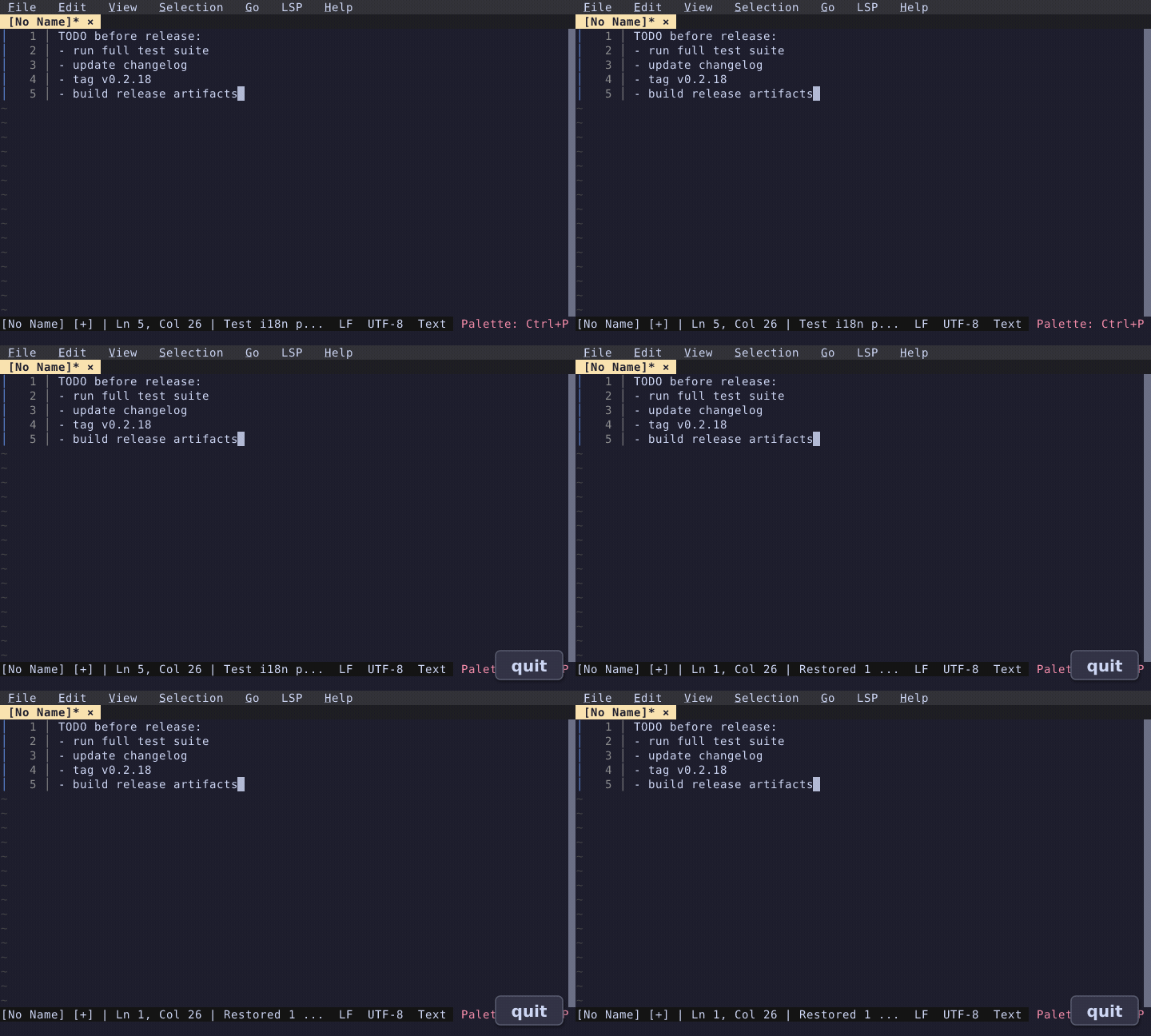
All buffers — including unnamed scratch buffers — persist across sessions automatically. Quit the editor, reopen it, and your unsaved notes are right where you left them. No save prompts, no lost work. Controlled by the hot_exit config option (default: on).
Windows Input Overhaul
Bracketed paste was not working on Windows. crossterm's default Windows input path uses the legacy Win32 console API rather than VT sequences, so bracketed paste markers (\x1b[200~ / \x1b[201~) were never received.
The fix was to enable ENABLE_VIRTUAL_TERMINAL_INPUT so the console delivers all input — including bracketed paste and mouse events — as VT sequences. This is the same approach used by Microsoft Edit. A new fresh-winterm crate replaces crossterm's input handling on Windows.
Enabling raw VT input introduced a second problem: under heavy mouse movement, the Windows console sporadically drops bytes from VT mouse sequences. This is a system-level issue — a dedicated reader thread and optimized read flow reduced the frequency but did not eliminate it on slow CPUs or under heavy load. The final solution detects and discards corrupt mouse sequences (VT mouse patterns missing their leading ESC byte), and defaults to mouse mode 1002 (cell-motion) on Windows instead of mode 1003 (all-motion) to reduce event volume. Mode 1003 can be enabled via the mouse_hover_enabled setting.
Bracketed paste and SGR mouse coordinates now work on Windows Terminal.
Also New
Editing
- Hanging line wrap — wrapped continuation lines preserve the indentation of their parent line.
- Smart quote suppression — quotes typed inside an existing string no longer auto-close, preventing doubled quotes.
- Separate auto-close config —
auto_closetoggle to independently control bracket/quote auto-close, skip-over, and pair deletion. Per-language overrides vialanguages.<lang>.auto_close. - Read-only mode — files without write permission and library/toolchain paths automatically open as read-only with a
[RO]indicator. Override with "Toggle Read Only". - Open File jump syntax —
path:line[:col]in Open File and Quick Open prompts to jump directly.
Broad LSP Support
Added LSP configs and helper plugins (with install instructions) for 30+ languages: Nix, Kotlin, Swift, Scala, Elixir, Erlang, Haskell, OCaml, Clojure, R, Julia, Perl, Nim, Gleam, F#, Dart, Nushell, Solidity, Vue, Svelte, Astro, Tailwind CSS, Terraform/HCL, CMake, Protobuf, GraphQL, SQL, Bash, Lua, Ruby, PHP, YAML, TOML, and Typst. Deno projects are auto-detected.
Platform
- macOS native GUI (early work-in-progress) — exploring a concept of Fresh shipping without a terminal while remaining fully compatible with terminal mode. Currently includes a native menu bar with dynamic conditions, Cmd keybindings, app icon, and
.appbundle. - Linux desktop integration — icons and
.desktopfiles for deb, rpm, Flatpak, and AppImage packages.
Performance
- Bracket matching caps scanning at 1MB with 16KB bulk reads, preventing hangs on large files.
- Chunked incremental search with viewport-only overlays and 100K match cap for multi-GB files.
- Non-blocking grammar builds on a background thread.
- Native Rust diff indicators replacing JS plugin round-trips.
- Log volume reduced ~90% by default (from ~266MB to ~5-10MB).
Plugin API
registerHandler()API replacingglobalThispattern.restartLspForLanguage, process limits forregisterLspServer, asyncreloadGrammars().- "Load Plugin from Buffer" — run and hot-reload plugins directly from an open buffer.
- Strict TypeScript across all built-in plugins.
Quality of Life
- Workspace storage — session state always restored on startup, even when opening specific files from CLI.
--waitflag — blocks the CLI until the buffer is closed, enabling use asgit core.editor.- Indent-based code folding — folding works without LSP, using indentation analysis as a fallback.
- Status bar toggle — show/hide via command palette.
- Tab naming — duplicate tab names disambiguated with appended numbers.
- File deletion uses trash —
removePathuses the system trash instead of permanent deletion.